 Game
Classic games working the way they should
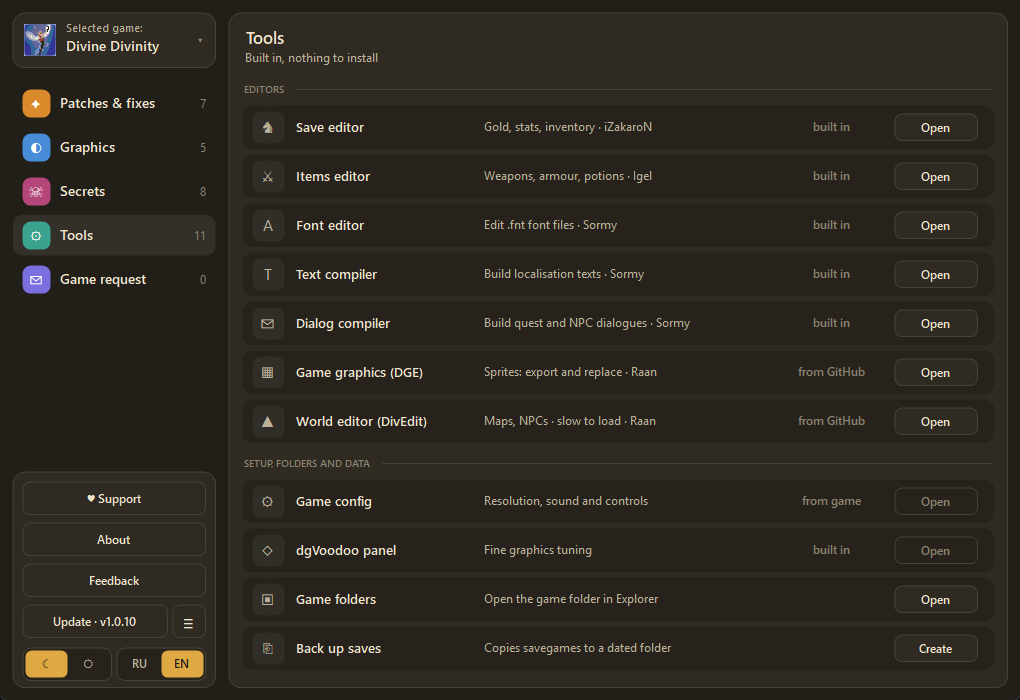
GameRemix is a fixer for classic games on Windows 7–11. It repairs known bugs, switches on modern graphics and larger fonts, and adds interface skins and voice-over. One file, no installer (it needs the .NET Framework, which Windows 7 and newer already include), and your originals are backed up and restored with one button.
Coming soonSupport the studioThe release is not published yet. The download button will appear here automatically.
Requirements: Windows 7+ (.NET Framework 3.5 or newer; on Windows 7 update checks and downloads need .NET 4.5+ and update KB3140245), Divine Divinity (RU) 1.0.0.62
What it does
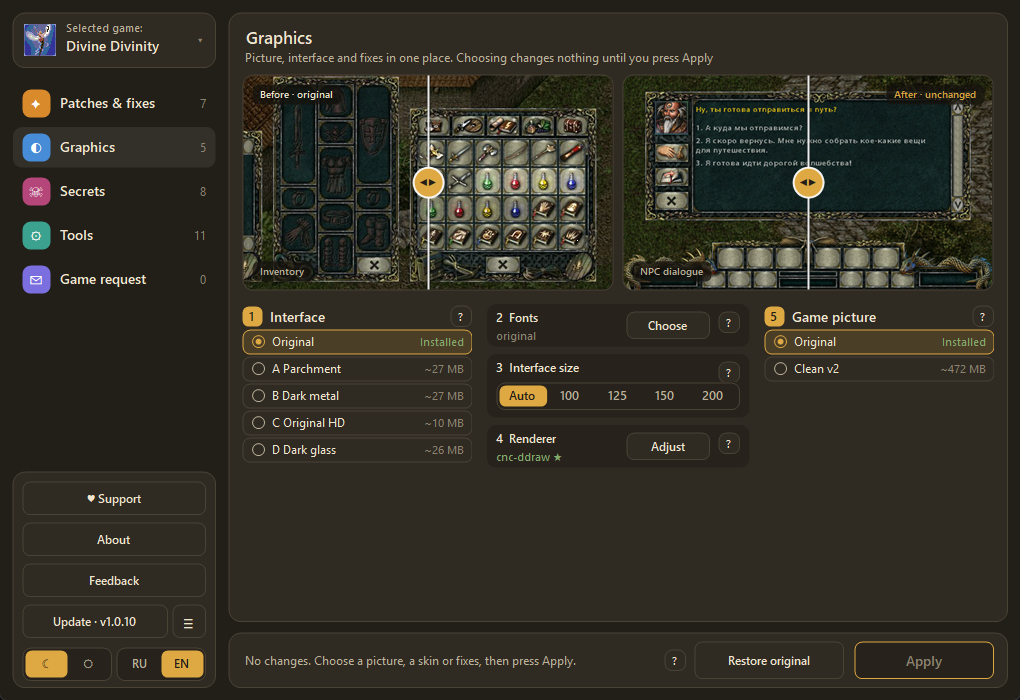
Graphics: Before | After
Neural clean-up of every game sprite (the "Clean v2" set), four interface skins and a live preview with a Before | After slider right in the program. One button installs, one button reverts.
Interface size 100–200%
Bigger windows, text and world on 2K/4K monitors: the game renders at a lower resolution and cnc-ddraw stretches the whole frame.
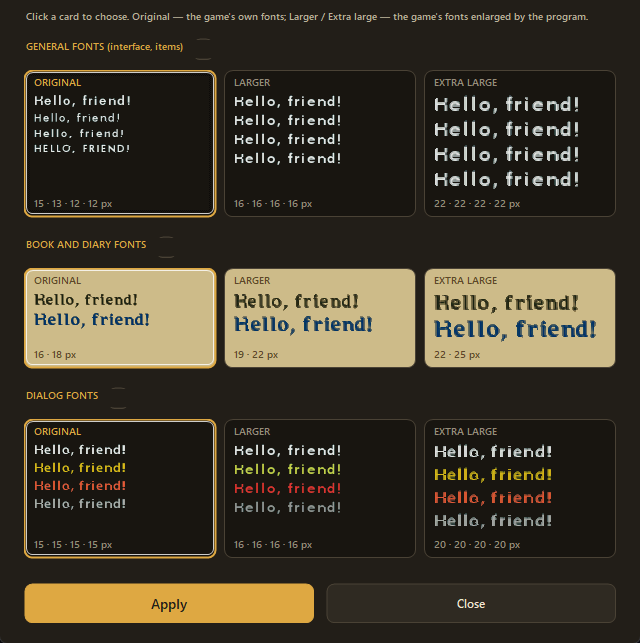
Fonts with a preview
Large readable text in dialogues, books and items. Pick by clicking the sample and see the result at once.
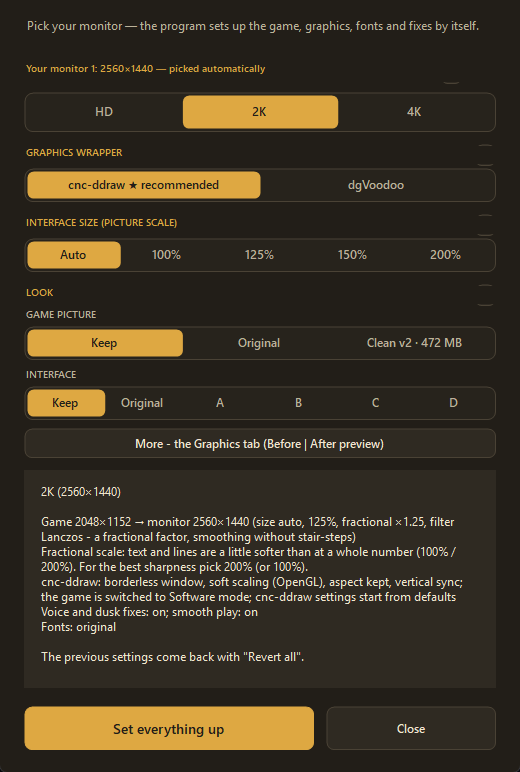
Quick setup
Pick your monitor (HD, 2K, 4K) and the app sets up the game, graphics, fonts and fixes for you.
Game fixes
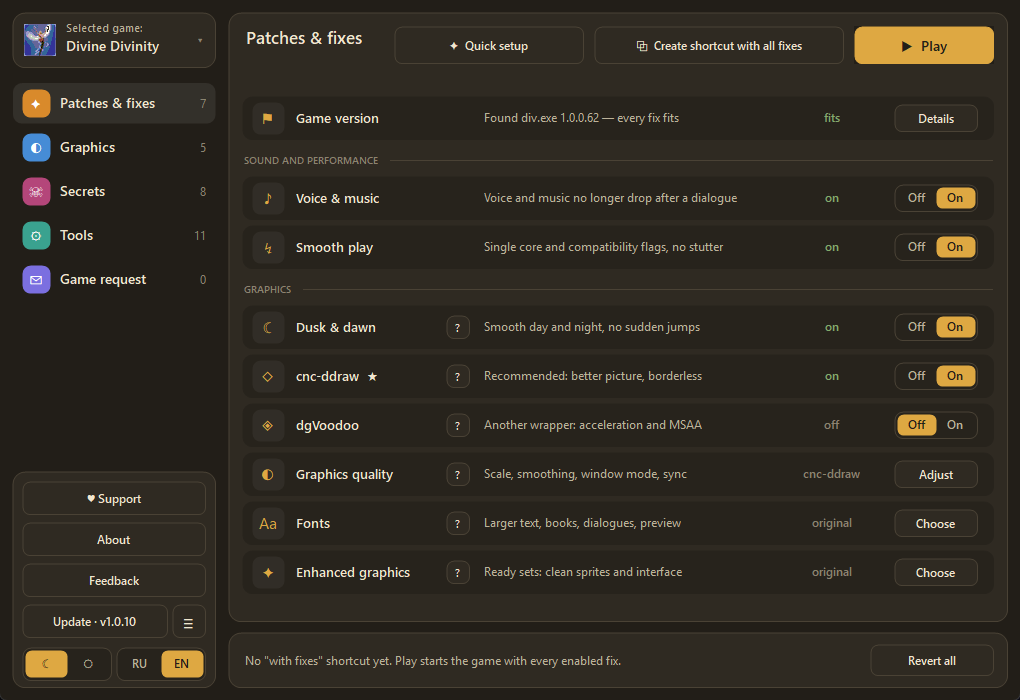
Voice and music no longer drop out after a dialogue, smooth dusk and dawn, single-core mode, the cellar floor hole, the map panel at the bottom edge.
Safe
Originals of the game are backed up; "Revert all" brings the game back as it was. The file is signed, updates are checked by SHA-256 and signature.
One-click updates
The app checks for a new version and installs it; if the main site is down, it uses the mirror.
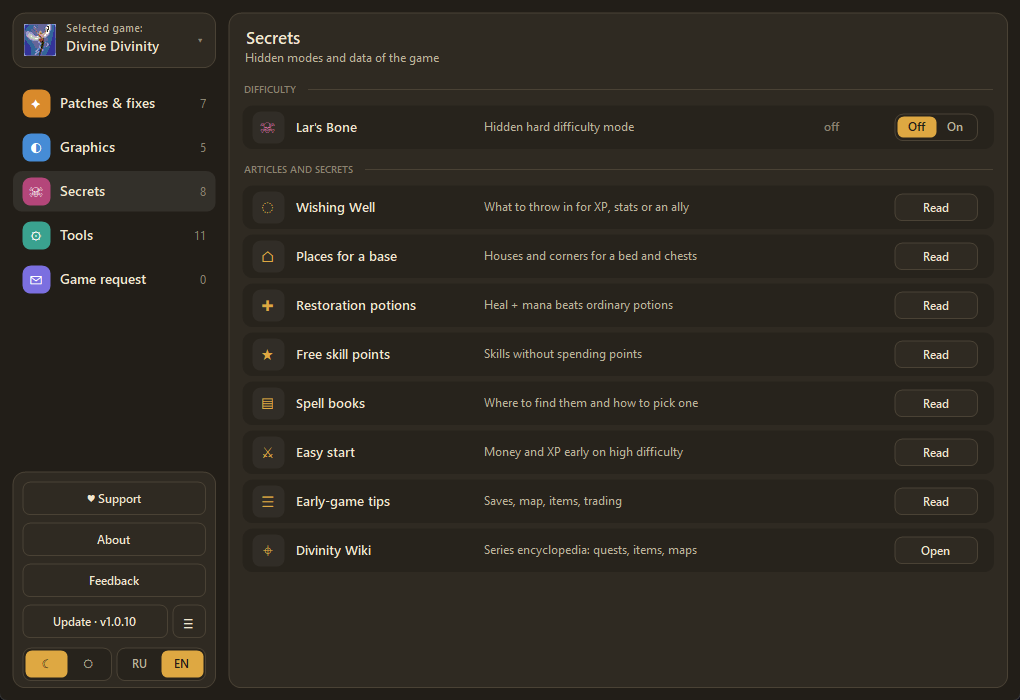
Secrets & articles
Hidden game modes and tidy tips, in Russian and English.
What it looks like
Supported games
Divine Divinity
Version 1.0.0.62 · Steam and GOG. Next games are chosen together with you: send a game request from inside the app.